How Small Businesses Can Save Time With AI
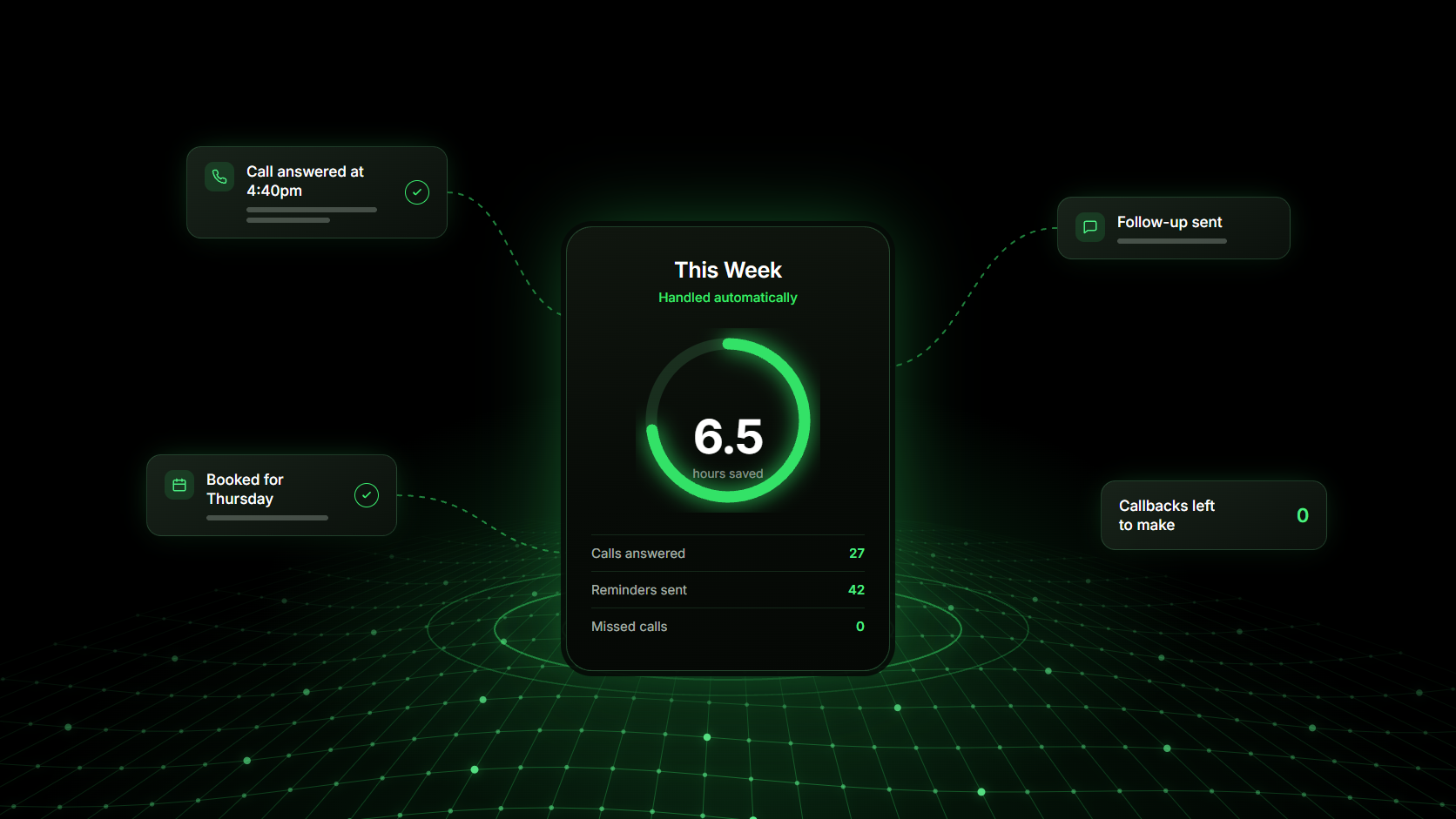
Small businesses save the most time with AI by handing over the work that surrounds the job rather than the job itself: answering the phone, replying to the same questions, confirming appointments, and writing down customer details. That work is repetitive and predictable, which is exactly what AI is good at, and it is where most of the week quietly disappears.
Where the time actually goes in a small business
Before adding any tool, be honest about what a week really looks like. For most service businesses, the hours disappear into a familiar list.
- Answering the same handful of questions about price, hours and availability
- Calling back the people who rang while you were working
- Confirming, moving and reminding people about appointments
- Chasing quotes that were never answered
- Copying customer details between a phone, a notebook and a calendar
- Writing the same follow-up message for the tenth time this month
None of it is difficult, and that is the problem. Each task is easy enough to keep doing by hand and frequent enough to take a full day out of the week.
What AI is good at, and what it is not
AI is not a replacement for judgement, pricing or relationships. It is reliable at a specific set of things, and knowing where the line sits saves a lot of wasted setup.
Understanding what someone is asking: A caller can say “do you have anything Thursday afternoon” instead of pressing 1 for bookings.
Responding immediately: A reply in ten seconds keeps a customer from calling the next business on the list.
Capturing the same details every time: Name, number, service, location and timing, recorded consistently instead of half-remembered.
Working at any hour: A large share of enquiries arrive in the evening and at weekends, when nobody is there to take them.
Summarising what happened: A short, readable account of the conversation instead of a call log with a number and a duration.
What it should not do is decide a price, handle a complaint, or improvise on a job it has no information about.
The same enquiry, before and after
The clearest way to see what AI saves is to follow one customer through both versions of the same week.
Before
A customer calls at 4:40pm while you are finishing a job. It goes to voicemail. You see it at seven, call back at eight and get no answer, then try again the next morning. By then they have booked someone else.
After
The call is answered on the first ring. The customer explains what they need, hears roughly what it costs and when you are free, leaves their name and number, and asks for Thursday morning. When you finish the job, a booking request is waiting with the details already filled in.
Nothing about the work changed. What changed is that the enquiry no longer had to wait for you to be free.
How to introduce AI without disrupting your business
Change one task at a time and keep the words you already use. Most bad rollouts happen because the business changed how it sounds at the same moment it changed how it works.
Write down what you already say
Take one first call and record how you actually open it, what you ask, and how you close. That transcript is better source material than any template, because it already sounds like you.
Turn on one thing, then read the results
Set up a single task with that wording unchanged and read a full week of real conversations before adding anything else. You will find two or three phrases to fix, and almost nothing structural.
Always keep a route to a person
Every automated conversation needs an obvious way out to a human. It protects the customers who need one and it protects your reputation with the ones who do not.
What saving time is actually worth
The hours are real, but they are usually not the main return. The bigger effect is that fewer opportunities go cold: calls get answered, quotes get followed up, and appointments get confirmed whether or not the week went to plan.
A business that responds within seconds, every time, looks more established than one that responds within a day. For a customer choosing between three local options, that impression often decides it.
Doing it in one place instead of five tools
Time saved in five disconnected tools comes back as time spent keeping them in sync. The customer who called, the booking in the calendar and the follow-up text all need to be the same record.
Exydio puts those pieces together: the website, the AI voice agent that answers your calls, the calendar the bookings land in, the customer records, and the automations that follow up afterwards. Find your trade on the industries page, or see what it costs on the pricing page.
Frequently asked questions
- What can a small business realistically automate with AI?
- Answering calls, replying to common questions, confirming and reminding people about appointments, following up on quotes and finished jobs, and recording customer details. These are the repeated, rule-based parts of the week.
- Do I need technical skills to use AI in my business?
- No. The setup work is describing your business: services, hours, prices and the questions you get asked most. If you can explain your business to a new employee, you can configure it.
- How much time does it actually save?
- It depends entirely on call volume, so treat any single number with suspicion. A more useful measure is to count the callbacks and follow-up messages you send in one normal week, then work out how many of them followed a script.
- Will using AI make my business feel less personal?
- Not if it is handling the parts customers do not want to be personal. Nobody wants a relationship with a booking confirmation. Keep AI on the repetitive contact and spend the time it frees on the conversations that matter.
- Where should a small business start with AI?
- With the phone. Missed calls cost the most and are the easiest to fix, and covering them gives you a week of real conversations to learn from before you automate anything else.